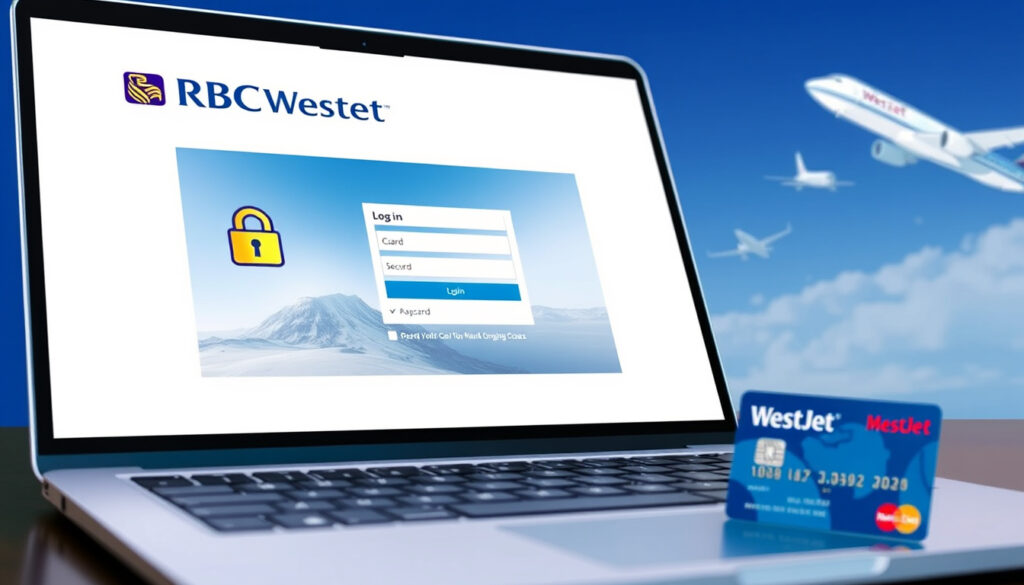
RBC WestJet Mastercard Login – Step-by-Step Guide
Accessing your RBC WestJet Mastercard account requires navigating through RBC Royal Bank’s online and mobile banking platforms. Whether you need to review transactions, manage your rewards balance, or adjust your WestJet data sharing preferences, understanding the login process is essential for every cardholder.
The WestJet RBC Mastercard is issued by Royal Bank of Canada and integrates directly with RBC Online Banking. This means cardholders use the same secure portal and mobile application used for other RBC accounts, with additional features specific to the WestJet rewards program.
This guide covers the complete login procedure, troubleshooting options, and the steps required to activate a new card, drawing on information available through RBC’s official documentation and WestJet’s rewards platform.
How to Log In to Your RBC WestJet Mastercard Account
The login process for your WestJet RBC Mastercard flows through RBC Online Banking, which serves as the central hub for all RBC credit card management. Understanding the available entry points and required credentials helps ensure a smooth sign-in experience.
What You Need Before Signing In
Before attempting to access your account, gather the following credentials and access methods. RBC Online Banking requires either your Client Card number or a username you have previously created, along with your password. During the initial enrollment, you will receive a temporary authentication code via text message, email, or voicemail. Subsequent logins rely on your chosen credentials with the option to enable a “Remember Me” function on trusted devices.
Avoid using the “Remember Me” feature on public or shared computers. This setting stores your login session and could allow unauthorized access if the device is not properly secured.
Overview of the Login Process
secure.royalbank.com/signin.html
Web browser and RBC Mobile App (iOS/Android)
Client Card number (or username) and password
RBC Advice Centre: 1-800-769-2512
Key Insights
- Access is granted through RBC Online Banking, not a separate WestJet portal
- The same login credentials work for both the standard Mastercard and the World Elite variant
- Cardholders can manage WestJet data sharing preferences directly within the banking dashboard
- Initial enrollment requires verification via a temporary authentication code
- The RBC Mobile App provides an alternative to browser-based access
- Linking your card to a WestJet Rewards account at westjet.com is a separate step from online banking access
Snapshot Facts
| Fact | Details |
|---|---|
| Card Issuer | Royal Bank of Canada (RBC) |
| Card Network | Mastercard |
| Rewards Program | WestJet Rewards |
| Login Portal | RBC Online Banking |
| Companion Voucher Threshold | $2,500 annual net spend |
| Points on WestJet/Sunwing | 1.5 points per $1 spent |
Step-by-Step Web Login
Navigate to the secure sign-in page at secure.royalbank.com/signin.html. Enter your Client Card number or username in the designated field, followed by your password. If you have not yet enrolled in RBC Online Banking, you can begin the enrollment process using your WestJet RBC Mastercard or your RBC Client Card.
Once logged in, locate your WestJet RBC Mastercard within the card listings on your account dashboard. Click on the card to view transaction history, available credit, and payment options. To manage your WestJet data sharing preferences, click the “WestJet Data Share Preferences” link found under the “Security and Card Management” section. This interface allows you to control what transaction details and demographic information are shared with WestJet, including purchase dates, amounts, merchant details, and basic cardholder data such as age range and income bracket.
RBC Mobile App Login
The RBC Mobile Banking app provides full access to your WestJet Mastercard account on iOS and Android devices. After downloading the app from your device’s app store, log in using your existing RBC Online Banking credentials.
To view your credit card statements through the mobile app, tap “More” in the navigation bar, then select “Services,” followed by “Statements,” and choose your WestJet RBC Mastercard. Managing your WestJet data sharing preferences follows a similar path: tap “More,” navigate to “Settings,” select “Manage Cards,” choose your WestJet RBC Mastercard, and tap “WestJet Data Sharing Preferences” to review or adjust your settings.
Troubleshooting RBC WestJet Mastercard Login Issues
Login difficulties can arise for a variety of reasons, from forgotten passwords to account lockouts following multiple failed attempts. Addressing these issues promptly helps restore access without unnecessary delays.
Password Reset Options
If you cannot recall your password, the standard RBC Online Banking recovery process applies. The available search results do not outline a specific self-service password reset flow for credit card accounts. Cardholders who cannot reset their password through the online portal should contact the RBC Advice Centre directly at 1-800-769-2512 or visit a local RBC branch for in-person assistance.
Detailed step-by-step instructions for password reset, multi-factor authentication setup, and app-specific troubleshooting are not available through the current official documentation. Unresolved issues should be directed to RBC’s dedicated support lines or a branch location.
Account Lockouts and Multi-Factor Authentication
During the initial enrollment in RBC Online Banking, you receive a temporary authentication code via text message, email, or voicemail. This code serves as the first layer of identity verification. For ongoing access, the security model relies on your password combined with the optional “Remember Me” feature.
If you experience repeated authentication failures, your account may be temporarily locked for security purposes. In such cases, contacting the RBC Advice Centre at 1-800-769-2512 is the most direct path to restoring access. The support team can verify your identity and guide you through the steps needed to unlock your account.
Enrollment Difficulties
New cardholders who have not previously enrolled in RBC Online Banking may encounter challenges during the registration process. The enrollment process is designed for personal banking clients using a Client Card or credit card. Business clients must use a Business Client Card, which involves a separate registration pathway.
If enrollment fails or you are unable to access the Online Banking or Mobile App services without these credentials, RBC recommends calling the Advice Centre or visiting a branch. These channels provide the support needed to complete enrollment and verify your account status.
Activating Your New RBC WestJet Mastercard
Before you can use your new RBC WestJet Mastercard for purchases, the card must be activated. This process is separate from creating your online banking account but shares the same verification infrastructure.
Linking Your Card to Your Rewards Account
Activation and rewards linking are distinct steps. Your physical card is activated through standard issuer verification, while linking to WestJet Rewards at westjet.com unlocks the earning potential of your Mastercard. When you log in to your WestJet Rewards account, you can connect your RBC Mastercard to start accumulating points on eligible purchases.
The rewards structure awards 1.5 points per dollar spent on WestJet and Sunwing travel, as well as on dining and streaming services. All other purchases earn 1 point per dollar. Companion vouchers become available after reaching a $2,500 annual net spend, which RBC tracks after the annual fee has been charged to your account.
Holders of the World Elite variant benefit from additional features, including DragonPass lounge access. The login and account management process remains identical to the standard Mastercard version.
Managing Your Account After Activation
Once your card is active and linked to your WestJet Rewards account, you can manage all aspects of your account through RBC Online Banking. The “My Credit Card Page” serves as the central location for checking your balance, reviewing transactions, making payments, and adjusting account preferences. Any changes to your RBC information sharing with WestJet can be made through the “WestJet Data Share Preferences” section on your card details page.
For cardholders who prefer managing accounts on the go, the RBC Mobile App delivers the same functionality as the web portal, optimized for mobile use. Balances, bill payments, and fund transfers are all accessible through the secure login within the app.
Understanding the RBC WestJet Mastercard Login System
The decision to route WestJet Mastercard access through RBC Online Banking rather than a dedicated WestJet portal reflects a broader industry approach where financial institutions consolidate account management under a single secure platform. This structure means that all RBC credit cards, including the WestJet-branded products, share the same authentication infrastructure and security protocols.
From a user experience standpoint, this integration simplifies credential management for cardholders who also hold other RBC products. A single set of login credentials provides access to checking, savings, and credit accounts simultaneously. The trade-off is that cardholders must navigate a more generalized banking interface to reach WestJet-specific features such as data sharing controls and rewards tracking.
The data sharing preferences available through the RBC portal represent a specific feature of this partnership. Cardholders can choose whether to share detailed transaction data and basic demographic information with WestJet, enabling personalized offers and streamlined rewards tracking. This level of control is managed entirely within the RBC banking environment, independent of the WestJet.com login.
Security for RBC Online Banking combines password-based authentication with optional device recognition through the “Remember Me” function. Multi-factor authentication is initiated during enrollment via a temporary code, but ongoing sessions rely primarily on password verification.
Summary
Accessing your RBC WestJet Mastercard account requires logging in through RBC Online Banking at secure.royalbank.com/signin.html using your Client Card number or username and password. The RBC Mobile App provides equivalent functionality for users who prefer mobile access. Troubleshooting options are limited to direct contact with RBC support, as self-service password reset and detailed MFA setup documentation are not fully available through public channels.
Separately, linking your card to your WestJet Rewards account at westjet.com enables the earning of points and access to companion vouchers. Understanding these two distinct login pathways—one through RBC’s banking platform and one through WestJet’s rewards portal—ensures you can manage both your account security and your travel rewards effectively.
For further context on managing international travel expenses and currency considerations, review our guide on 350 Euro to CAD – Current Rate, History and Tips. Additionally, if you are planning travel booked through this card, our resource on Vancouver to Delhi Flight – Times, Fares and Booking Tips offers relevant booking insights.
Frequently Asked Questions
Can I access my WestJet RBC Mastercard without enrolling in RBC Online Banking?
No. All access to your WestJet RBC Mastercard account, including viewing transactions and managing preferences, requires enrollment in RBC Online Banking. You can enroll using your credit card or Client Card during the sign-in process.
Is the login process the same for the World Elite version of the card?
Yes. Both the standard RBC WestJet Mastercard and the World Elite variant use the same RBC Online Banking portal and mobile app for account access.
Where do I find the WestJet Data Share Preferences option?
After logging into RBC Online Banking, navigate to your WestJet RBC Mastercard details page. The “WestJet Data Share Preferences” link appears under the “Security and Card Management” section.
What should I do if I forget my RBC Online Banking password?
Contact the RBC Advice Centre at 1-800-769-2512 or visit a local branch. The publicly available documentation does not provide a self-service password reset flow for credit card accounts.
Can I manage my WestJet rewards and points through the RBC portal?
The RBC portal manages your card account, including data sharing preferences with WestJet. Rewards balance, points redemption, and companion voucher access are managed through your WestJet Rewards account at westjet.com.
Does the RBC Mobile App support WestJet Mastercard statements?
Yes. Open the RBC Mobile App, tap “More,” select “Services,” then “Statements,” and choose your WestJet RBC Mastercard to view your statements.
How do I link my new Mastercard to my WestJet Rewards account?
Sign in to your WestJet Rewards account at westjet.com and follow the prompts to link a new credit card. This process is separate from RBC Online Banking access and enables point earning on your card purchases.
More related posts
 Cast of the Perfect Couple – Actors, Roles and Full Guide
 And Then There Were None – Complete Guide and Analysis
 Alavés vs Real Madrid – Preview, Lineups, Prediction
 Курс канадского доллара к гривне – Current Rate & Trends
 Liverpool F.C. vs Atlético Madrid Lineups: Confirmed XIs 17/09/2025
 Australian Bouncy Castle Accident – Devonport Tragedy Details
 Father’s Day Gift Ideas – 60 Practical Picks for Every Dad
 The Penguin Season 2: Renewal, Cast, Release Date & News